If you’ve ever dabbled in AWS, you’ve probably stumbled on the term “pipe” in tooling docs, architecture forums, or dev team standups. At first glance, it sounds like just another cloud buzzword — but as someone who’s spent 10+ years designing and delivering pipes for all sorts of industries (yes, I run my own small pipe supply biz, so I’ve dealt with my fair share of “pipe logic” that’s way less technical), let me break this down like I would for a client who’s never touched a wrench, let alone a cloud console. Pipe
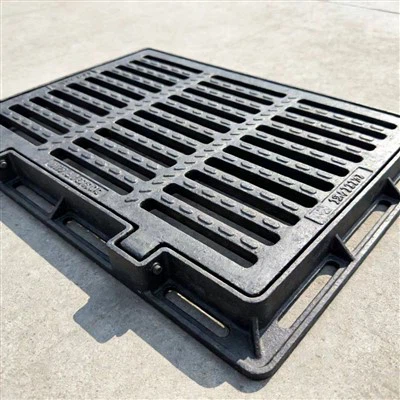
First, let’s ground this: when people talk about a “pipe” in AWS, they’re not talking about PVC or steel pipes you plumb a bathroom with. Wait, hold on — actually, there’s a weirdly parallel core idea here, right? A real pipe moves stuff from Point A to Point B, usually without letting it leak, and it’s built to handle whatever you’re pushing through it. An AWS pipe does basically the same thing, just with data, code, or services instead of water or chemicals.
Let’s start with the basics: most folks new to AWS mix up pipes with APIs or event triggers, so let’s clear that up. An API is like a single, quick text from Point A to Point B — “send me that file, here’s the key, done.” An event trigger is like a smoke alarm that goes off when something’s wrong, alerting you right away. An AWS pipe? It’s the continuous, regulated line that connects two (or more) services so that whatever happens in one automatically flows to the other, no manual work, no missing bits, no random delays. Think of it like a dedicated pipeline between your company’s sales data database and your customer support tool: every time a new lead gets added to the database, the pipe automatically pushes that info over to support, so they don’t have to retype it, and no leads fall through the cracks.
Here’s the part that trips people up, especially if you’re coming from a non-cloud background: AWS has two main types of pipes, right? Wait, no — actually, for a long time, a lot of people used the term “pipe” loosely, but AWS formalized it a while back with Amazon EventBridge Pipes, which is the official, managed pipe service. Before that, people were building “custom pipes” using AWS Glue, Amazon Kinesis Data Streams, or even SQS queues, which was way more work — like building a pipe out of scrap wood and duct tape. EventBridge Pipes is the pre-cut, tested, code-ready pipe system AWS sells (wait, no, I don’t sell EventBridge Pipes, I sell actual pipes, but the comparison’s perfect).
Let’s make this concrete with examples, because that’s the only way this makes sense. I just worked with a local e-commerce client last month, let’s call them Green Thread Goods, because they sell eco-friendly tote bags. They were having a problem: every time a customer placed an order on their Shopify store, their inventory tool (which was separate) didn’t update automatically. Their old setup was a messy batch script someone wrote in 2021 that ran at 2 a.m. every night — so sometimes orders would sit unprocessed for 12 hours, and they’d oversell 50 tote bags before the inventory caught up. The solution? An AWS EventBridge Pipe. Here’s how it worked: the pipe’s source was the Shopify order webhook (which is just Shopify sending a signal to AWS when an order happens), the pipe’s target was their inventory management system, and we added a tiny filter to the pipe that only let orders over $50 go through (they wanted to prioritize big bulk orders for wholesale restocks). No more 2 a.m. scripts, no more oversells, no one has to manually copy order data — that’s the pipe doing its job.
Another example: if you run a SaaS company that uses AWS Lambda for backend functions, and you want every Lambda error to automatically send a Slack message to your dev team’s channel. Instead of setting up SNS (Simple Notification Service) topics and hardcoding Slack webhooks (which is a pain, and if you change Slack channels, you have to rewrite code), a pipe lets you connect Lambda as the source, the Slack API as the target, and add a simple condition to only send messages for errors with a severity of “CRITICAL.” That’s a managed pipe — AWS handles all the routing, error checking, and retries if the Slack API goes down for a minute. No server to maintain, no custom code, just a few clicks in the AWS console.
Wait, but what about those custom pipes I mentioned earlier? Those still exist, and a lot of teams use them because EventBridge Pipes didn’t have all the features they needed a couple years back. A customer of mine who owns a small manufacturing plant (they need actual pipes for their factory, by the way — if you ever need schedule 40 steel pipe for a process line, hit me up) was using a custom pipe built with Amazon Kinesis to send sensor data from their factory floor to a machine learning model that predicts when equipment will break. The source here is the IoT sensors, the target is the ML model, and the pipe included a step to clean the sensor data (filter out wrong readings, convert units) before it got sent. They built this custom pipe with a combination of Kinesis Data Streams, Lambda, and S3, which worked, but it took their dev team 3 months to set up, and a month later they had to adjust it when they added 20 more sensors. Now, with EventBridge Pipes, they could have set that up in a day — but old habits, right? And sometimes custom pipes make sense if you need super specific transformations that EventBridge Pipes doesn’t support yet.
Let’s talk about the benefits, because that’s why anyone would care. First, managed EventBridge Pipes are serverless — so you don’t have to worry about provisioning servers, scaling, or maintaining the infrastructure that runs the pipe. AWS handles all that, and you only pay for the data that flows through the pipe. Second, they’re flexible: you can connect almost any AWS service (and a lot of third-party tools like Shopify, Slack, Salesforce) as a source or target. Third, they have built-in error handling: if a target service is down, the pipe retries automatically, and you can set dead-letter queues to catch any data that fails to go through, so you don’t lose anything. Fourth, they reduce operational work: no more writing and maintaining custom integration code, no more batch jobs that run at weird hours. For small teams, that’s a huge win — their devs can focus on building features, not fixing broken integrations.
But wait, I should be honest, because I’m not a cloud nerd, I’m a pipe guy who’s talked to hundreds of people about both physical and cloud pipes. There are downsides, right? EventBridge Pipes are great for common use cases, but if you need a super custom transformation, or you’re working with data that’s way too big (like petabytes of historical data), a custom pipe with Glue or Kinesis might be better. Also, if you have strict data residency rules, you need to make sure the pipe is set up to keep data within your required region — AWS does let you configure that, but it’s not something you can just click and forget. And like any AWS service, it’s not free forever — if you have a pipe that’s flowing terabytes of data a day, the costs can add up, so you have to monitor that, same as you would with physical pipes that have high pressure and use more water.
Let me circle back to my actual job, because that’s the angle I came here with. I run a small pipe supply business, and over the last few years, I’ve noticed a lot of my new clients — especially ones in tech, e-commerce, and manufacturing — are asking about “AWS pipes” for their business, not just the metal or PVC ones I sell. It’s funny, right? The same core principle applies: a good pipe, whether it’s carrying water or data, should be reliable, leak-proof, easy to maintain, and built exactly for what you need. A lot of my clients come to me because their old physical pipes are leaking, or too small, or not built for the pressure of their operations, and that’s exactly how I hear about cloud pipes: “Our old integration is broken, we need something that works without us having to babysit it.”
If you’re someone who’s just starting out with AWS, and you’re wondering if a pipe is right for you, ask yourself: do I have two or more services (AWS or third-party) that need to talk to each other automatically, without manual work? If yes, a pipe is almost definitely worth checking out. Start small — don’t go building a complex pipe for every service you use. Try EventBridge Pipes for a simple use case first, like connecting your S3 bucket (which stores your user uploads) to your Elasticsearch search tool. It takes 10 minutes to set up, and you’ll see exactly how it works, no jargon, no headaches.
Now, if you’re tired of dealing with unreliable integrations that break at the worst times, or your old physical pipes are costing you money in leaks or downtime — let’s chat. I specialize in durable, custom-built pipes for all sorts of applications, from small commercial lines to large industrial process systems. We work with every industry, and we’ll make sure your pipe is built to last, fits your exact needs, and doesn’t leave you with unexpected costs or delays. Whether you need a simple PVC pipe for a small project or a heavy-duty steel pipe for a manufacturing line, we’ve got you covered. Shoot me a message, and we can walk through your project details, no pressure, no sales pitch.

Wait, let me wrap this up so it doesn’t sound like a sales pitch and still makes sense. At the end of the day, a pipe in AWS is just a way to connect services so they can share data seamlessly, same as the pipes I deliver to my clients. It’s about making your workflow smoother, reducing manual work, and avoiding the kind of headaches that come with data falling through the cracks. If you’re new to AWS, don’t overcomplicate it — start with the basics, and remember: a good pipe, whether it’s in the cloud or under your factory floor, is all about reliability. If you need help with either, I’m here.
Float Valve References:
AWS Documentation. Amazon EventBridge Pipes.
AWS Documentation. Amazon Kinesis Data Streams.
AWS Documentation. AWS Glue.
Shanxi Yuanhang Machinery Construction Industry and Trade Co., Ltd.
We’re well-known as one of the most experienced pipe manufacturers in China. With a professional production team, we are able to meet the needs of the majority of our customers. Welcome to buy discount pipe in stock here from our factory. Contact us for pricelist and free sample.
Address: Taiyuan City, Shanxi Province
E-mail: anzhiyuan@yhmadeinprc.com.cn
WebSite: https://www.yhmadeinprc.com/
